Director Home Dashboard

This is the first screen you see after you log in to your event.

Tournament & League Software
More R2 Sports Software

Director Home Page

This is the first screen you see after you log in to your event.

Last updated November 3, 2026
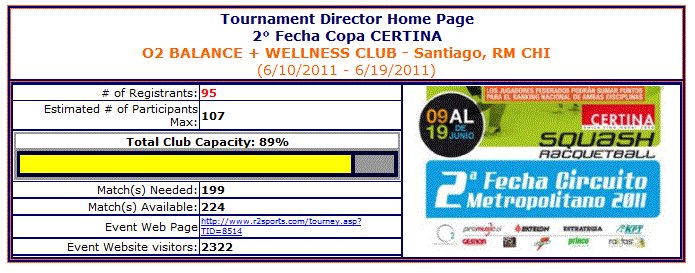
Director Home Dashboard screen in R2 Sports

Click the screenshot to enlarge

Instructions

Step 1

Log in to your event.

See This Screen

Step 2

Check your event name, dates, location and logo.

Dates and Deadlines Guide

Step 3

Look at the total entries and the number of matches your divisions will need.

Divisions and Entry Rules Guide

Step 4

Compare that with your court capacity graph. Use it to decide when to stop taking entries.

Participant Lists Guide

Step 5

Work through the event checklist. Each item links to its step.

See This Screen

Good to know: Check this page often while entries come in.

Related guides

All Event Setup Guides

View All

Setup Wizard

View Guide

Dates and Deadlines

View Guide

Divisions and Entry Rules

View Guide

See It in Action

Try the R2 Sports demo free. No credit card needed.

Try It Free   See Pricing

Demo Software

Start Free Demo

Purchase

Buy Software

Advertise

View Packages

System Login

Access Account

Learning Hub

Watch Videos

Event Portal

Find Events | Featured