Event Setup Guides
Set up your event once: dates, deadlines, divisions, prices, sponsors, and your event website. The setup wizard walks you through the main event settings step by step. After that, add the extras that make your event stand out, like add-on items, a home page message, and sponsors.
Part of the R2 Sports tournament management software. Pick a guide below to see the screen and what it does.
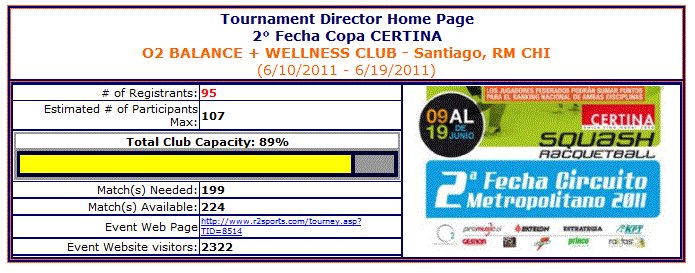
Click the screenshot to enlarge
Event Setup Step-by-Step Guides
7 guides with screenshots.
Director Home Dashboard
The director home page is the first thing you see after you log in.
View GuideEvent Setup Wizard & Templates
When you activate an event, the setup wizard walks you through the main settings: dates, times, registration deadlines, prices, and the divisions you'll offer.
View GuideEvent Options & Registration Deadlines
This setup page is where you set your event dates, daily start and end times, and registration deadlines.
View GuideDivision Settings & Entry Rules
Add divisions from a list made for your sport, then set prices and entry rules for each one.
View GuideRegistration Add-On Items
Add extra items players can buy while they register, like banquet tickets, extra shirts, or a donation.
View GuideEvent Messages & Home Page Text
Write a message for your event home page and change it any time.
View GuideMore Tournament Guides
Match Times
Schedule every match on every court, avoid conflicts, and keep the event on time.
View Guides