Results Guides
Publish final results, run media reports, and see your event's numbers. When the last match ends, turn results on to publish a summary of every division. Then use the media report and event stats for press, sponsors, and next year's planning.
Part of the R2 Sports player rankings. Pick a guide below to see the screen and what it does.
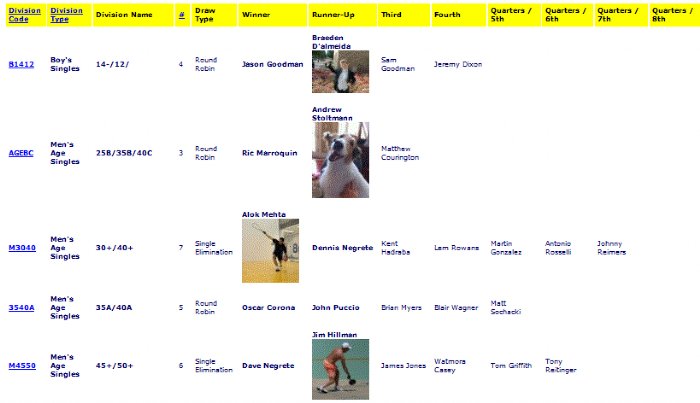
Click the screenshot to enlarge
Results Step-by-Step Guides
3 guides with screenshots.
Media Match Report
The media report lets players, fans, and press look up matches and results in different ways during and after the event.
View GuideTournament Statistics
Event stats show who signed up and how, with charts that make it easy to compare to past events.
View GuideMore Tournament Guides
Event Setup
Set up your event once: dates, deadlines, divisions, prices, sponsors, and your event website.
View GuidesMatch Times
Schedule every match on every court, avoid conflicts, and keep the event on time.
View Guides