Finding Players

Find one player fast and build a custom report.

Tournament & League Software
More R2 Sports Software

Finding Players

Find one player fast and build a custom report.

Last updated November 3, 2026
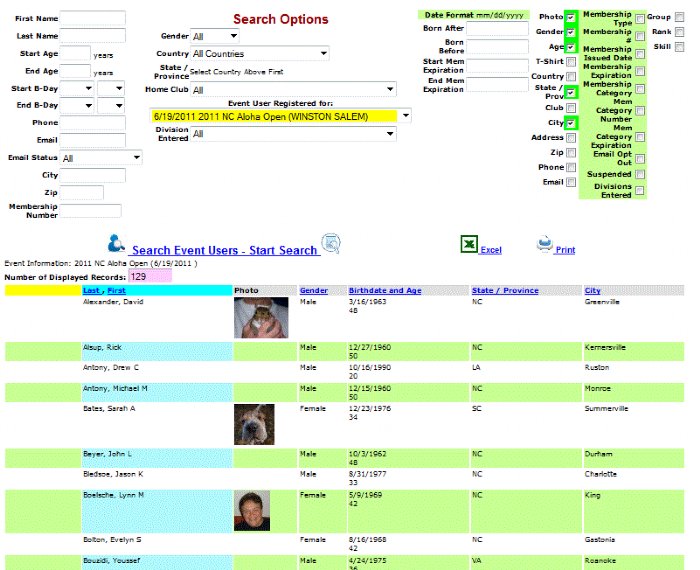
Finding Players screen in R2 Sports

Click the screenshot to enlarge

Instructions

Step 1

Open the search page from the participants section.

Participant Lists Guide

Step 2

Choose which items to show, like photo, shirt size or divisions.

Divisions and Entry Rules Guide

Step 3

Type part of a name, or filter by division, club, city or state.

See This Screen

Step 4

Open the player to see entries and contact info.

See This Screen

Related guides

All Participant Guides

View All

Managing Participants

View Guide

Participant Lists

View Guide

Pairing Doubles Partners

View Guide

See It in Action

Try the R2 Sports demo free. No credit card needed.

Try It Free   See Pricing

Demo Software

Start Free Demo

Purchase

Buy Software

Advertise

View Packages

System Login

Access Account

Learning Hub

Watch Videos

Event Portal

Find Events | Featured