Total Configuration Control from Day One
Setting Up Your Tournament Template
The event configuration interface gives you total master control over your custom environment. When your event is first activated, a streamlined setup wizard guides you through your core settings without any confusion. This is where you configure your main tournament management choices—including operational dates, facility booking times, custom registration deadlines, tiered pricing structures, and your active sport divisions.
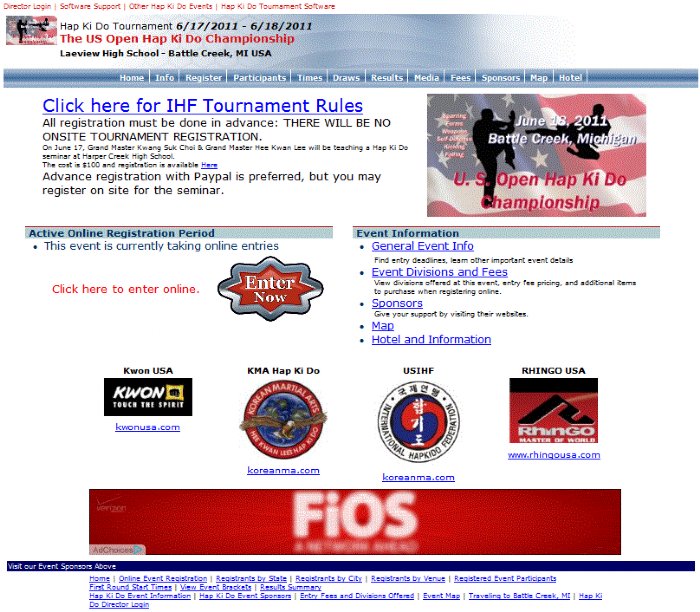
Customizing Your Event Website & Branding
Once your basic operational options are active, the R2 Playbook lets you customize your public-facing site to stand out. You can craft a welcoming homepage message and upload a crisp event logo to draw attention in the master directory. Powered by GamePlay Intelligence, you can select custom color schemes to match your brand identity or cleanly link back to an organization website to display partner logos and streamline navigation paths.
Operational Features & Marketplace Tools
Configure the tools your participants interact with daily using these quick-set options:
- Add-On Merchandise & Marketplace: Easily offer custom gear, league apparel, or extra purchases inside your sign-up pipeline. These selections flow directly into the final registration invoice summary page.
- Automated Rotating Sponsors: Upload up to 20 local event sponsors. The system automatically rotates blocks of 4 sponsors across every page your participants visit to maximize exposure.
- Event Documentation: Keep competitors fully informed by uploading facility maps, nearby hotel partner listings, and breakdown details for prize money pools.
- Instant Feature Toggles: Safely control public visibility. Hide player lists to protect entry data, toggle match brackets on or off when they are ready for release, and activate summary views after the final match.
You can also use the integrated communication engine to build interest. Send up to 2 target email blasts across 5 distinct geographic states to promote entry openings, or broadcast message distributions as often as you want to keep registered players up to date. From tiny local club meetups to multi-sport brackets, the R2 Playbook simplifies your setup workflow so you can stay out of the spreadsheets and focus on the action.