Edit a Member Group

Members, renewals, groups, tests and sanctioning.

Tournament & League Software
More R2 Sports Software

Edit a Group

Each group has its own settings.

Last updated November 3, 2026
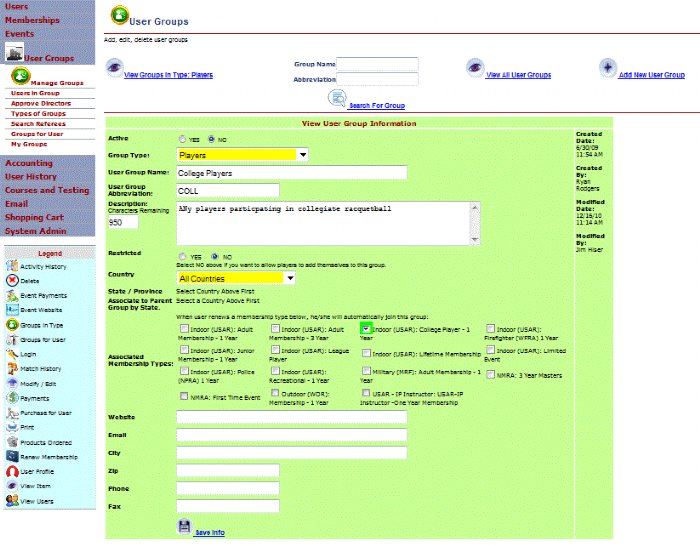
Edit a Member Group screen in R2 Sports

Click the screenshot to enlarge

Instructions

Step 1

Set active, group type, name and abbreviation.

See This Screen

Step 2

Write a description of up to 1,000 characters.

See This Screen

Step 3

Choose a parent group.

See This Screen

Step 4

Choose open or restricted.

See This Screen

Step 5

Link a membership, if buyers should join.

See This Screen

Related guides

All Membership Software Guides

View All

Automatic Emails

View Guide

Member Groups

View Guide

Group Members

View Guide

See It in Action

Try the R2 Sports demo free. No credit card needed.

Try It Free   See Pricing

Demo Software

Start Free Demo

Purchase

Buy Software

Advertise

View Packages

System Login

Access Account

Learning Hub

Watch Videos

Event Portal

Find Events | Featured