Step 4: Choose a Payment Type

See every step a player takes to enter your event.

Tournament & League Software
More R2 Sports Software

Step 4, Payment Type

After confirming the summary, players move to a secure page to choose how to pay.

Last updated November 3, 2026
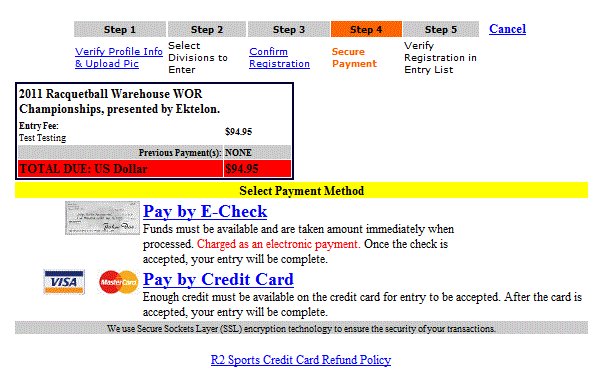
Step 4: Choose a Payment Type screen in R2 Sports

Click the screenshot to enlarge

Instructions

Step 1

Choose credit card or e-check, if the event offers it.

See This Screen

Step 2

Read the refund policy link.

See This Screen

Step 3

Continue.

See This Screen

Related guides

All Online Registration Guides

View All

Step 2, Choose Divisions

View Guide

Step 3, Entry Summary

View Guide

Enter Payment

View Guide

See It in Action

Try the R2 Sports demo free. No credit card needed.

Try It Free   See Pricing

Demo Software

Start Free Demo

Purchase

Buy Software

Advertise

View Packages

System Login

Access Account

Learning Hub

Watch Videos

Event Portal

Find Events | Featured